

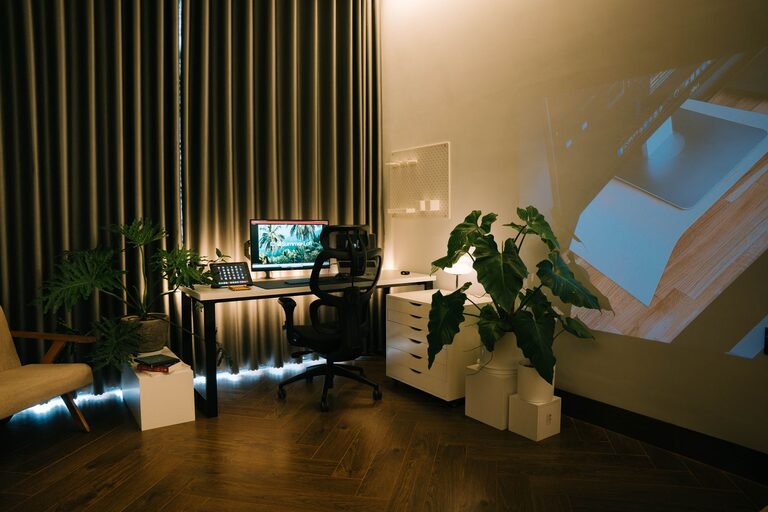
Creating a relaxing home workspace is essential for maintaining focus and reducing stress during your workday. Whether you work remotely full-time or just need a designated spot for occasional tasks, your environment plays a significant role in how productive and comfortable you feel. Here’s a guide to help you design a calming, efficient home workspace that suits your needs.
Why a Relaxing Workspace Matters
A cluttered or noisy workspace can distract you and increase stress levels. On the other hand, a well-designed, peaceful setup can enhance your concentration, creativity, and overall well-being. When your workspace invites calm and organization, you can approach your tasks with a clearer mind.
Choosing the Right Location
Find a Quiet Spot
Select an area in your home where noise and interruptions are minimal. If possible, avoid high-traffic zones like the kitchen or living room. A corner of a spare room or bedroom can often work well.
Consider Natural Light
Natural light helps improve mood and alertness. Position your desk near a window if you can. If natural light is limited, invest in soft, warm lighting that doesn’t strain your eyes.
Setting Up Your Desk Area
Pick a Comfortable Desk and Chair
A comfortable chair with good back support is key to avoiding discomfort during long hours. Your desk should offer enough space for your computer, notebook, and other essentials but not be cluttered.
Organize Your Essentials
Keep only necessary items on your desk to reduce distractions. Use desk organizers, trays, or small drawers to store stationery and gadgets. This helps maintain a tidy and efficient workspace.
Personalizing Your Space for Relaxation
Use Calming Colors
Colors such as soft blues, greens, or neutrals can create a serene atmosphere. Avoid overly bright or dark colors that might be distracting or tiring.
Add Plants
Indoor plants not only improve air quality but also provide a soothing visual break. Choose low-maintenance varieties like succulents or pothos if you’re new to plant care.
Include Personal Touches
Photos, art, or meaningful objects can make your workspace feel inviting. Just be careful not to overdo it—too many items can clutter the space and reduce calmness.
Managing Noise and Distractions
Use Noise-Cancelling Headphones
If you can’t control background noise, noise-cancelling headphones or soft instrumental music can help you stay focused and block distractions.
Set Boundaries
Communicate your work hours and workspace boundaries to those you live with. This helps minimize interruptions and supports a more professional atmosphere.
Enhancing Comfort and Ergonomics
Maintain Proper Posture
Adjust your chair and monitor so your eyes are level with the top of the screen and your feet rest flat on the floor. This reduces neck and back strain.
Take Breaks
Incorporate short breaks into your routine to stretch and move around. This helps prevent fatigue and keeps your mind fresh.
Keeping Your Workspace Clean and Clutter-Free
Daily Tidying Routine
Spend a few minutes at the end of each day to clear your desk and put things away. A clean space prepares you for a productive next day.
Digital Organization
Keep your computer files and emails organized to reduce digital clutter, which can also cause stress.
Final Thoughts
Creating a relaxing home workspace doesn’t require a major overhaul. Small changes like optimizing lighting, organizing your desk, and adding calming elements can make a big difference. By thoughtfully designing your space, you set yourself up for better focus, reduced stress, and a more enjoyable workday. Give these tips a try and watch how your productivity and mood improve!